Hi everyone,
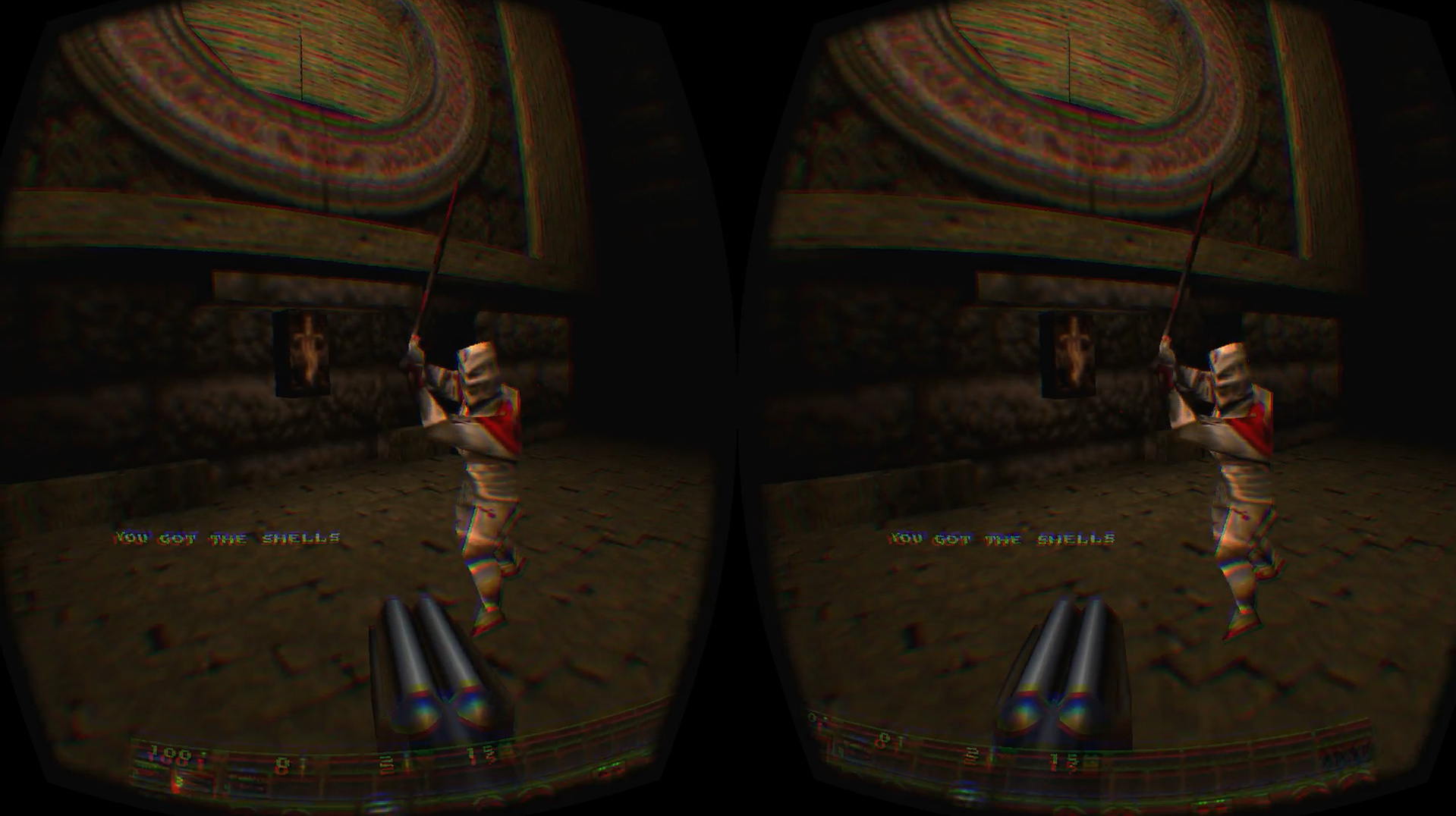
a few years ago I owned an Oculus DK2, and Quake for Oculus Rift was by far the experience that impressed me the most.
After selling all my VR gear, that was the only thing I truly missed — that feeling of walking through the dark corridors of “The Castle of the Damned” in full immersion…
Recently, I finally managed to relive that moment, and this time it cost me almost nothing!
I thought I’d share this experience here, in case someone else wants to try it too. 
This is not a tutorial, just a brief outline of what worked for me.
Steps I followed (just a rough list, not explained in detail)
-
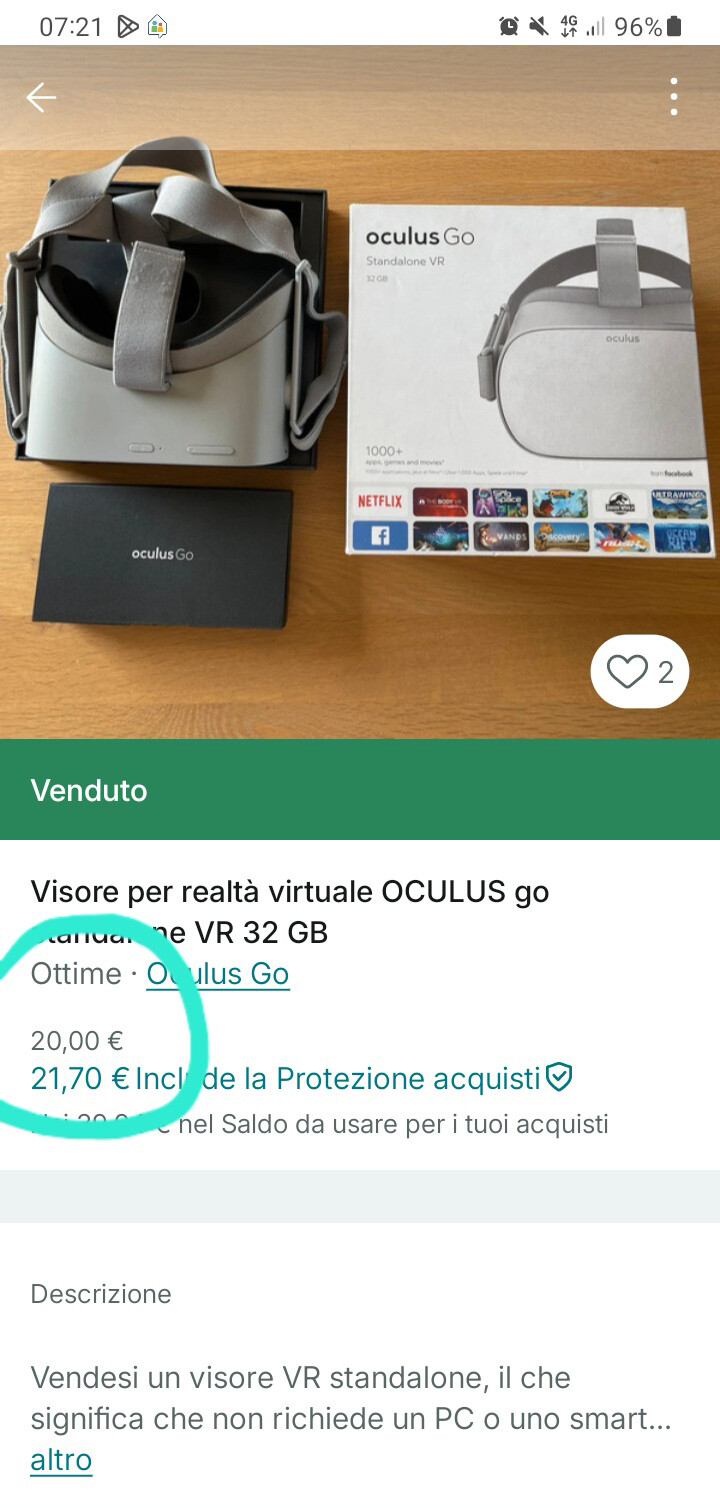
Find a working Oculus Go at a good price (make sure it includes the original controller, setup is much harder without it). I bought mine on Vinted for about € 20: it is so cheap because it is no longer supported by Meta.
-
Fully charge the headset and perform a factory reset.
-
Install an older version of the Meta (Oculus) app on your Android phone (one that still supports the Go, I used “Meta Horizon 193.1.0.15.104 arm-v7a Android 5.0+”).
-
Pair the headset and log in with your Meta *Developer* Account (you can create it beforehand, it’s free).
-
Enable Developer Mode on your Go through the Meta app.
-
Install ADB tools on your PC or Mac.
-
Connect the Go via USB and verify it with:
adb devices
-
Use ADB to sideload the latest QuakeGVR APK.
-
Launch QuakeGVR from Unknown Sources inside the headset.
…and that’s it! The Go is a completely standalone headset, so once QuakeGVR is installed, you can play wirelessly without a PC, pairing a bluetooth controller like the one from Xbox One S.
Even though the headset is only 3DoF and no longer supported, the optics are surprisingly good, and nothing quite matches that eerie atmosphere of Quake in VR — all for a small price and a bit of tinkering. 
I’m sharing my command-line and configuration files here for anyone who might find them useful. They feature several small optimizations — improved resolution, controller deadzone adjustment to prevent drift, and refined bindings to prevent unintended weapon switching — while maintaining a consistent 60 FPS.
commandline.txt
quake --supersampling 1.5 --cpu 2 --gpu 3
autoexec.cfg
bind TAB "+showscores"
bind ENTER "+jump"
bind ESCAPE "togglemenu"
bind SPACE "+jump"
bind # "impulse 12"
bind + "sizeup"
bind , "+moveleft"
bind - "sizedown"
bind . "+moveright"
bind / "impulse 10"
bind 0 "impulse 0"
bind 1 "impulse 1"
bind 2 "impulse 2"
bind 3 "+forward"
bind 4 "+back"
bind 5 "+moveleft"
bind 6 "+moveright"
bind 7 "impulse 7"
bind 8 "impulse 8"
bind = "sizeup"
bind BACKSLASH "+mlook"
bind BACKQUOTE "toggleconsole"
bind a "+moveleft"
bind c "+movedown"
bind d "+moveright"
bind t "messagemode"
bind z "+lookdown"
bind TILDE "toggleconsole"
bind UPARROW "+forward"
bind DOWNARROW "+back"
bind LEFTARROW "+left"
bind RIGHTARROW "+right"
bind ALT "+strafe"
bind CTRL "+attack"
bind SHIFT "+speed"
bind F1 "help"
bind F2 "menu_save"
bind F3 "menu_load"
bind F4 "menu_options"
bind F5 "menu_multiplayer"
bind F6 "echo Quicksaving...; wait; save quick"
bind F9 "echo Quickloading...; wait; load quick"
bind F10 "quit"
bind F11 "zoom_in"
bind F12 "screenshot"
bind INS "+klook"
bind DEL "+lookdown"
bind PGDN "+lookup"
bind END "centerview"
bind PAUSE "pause"
bind MOUSE1 "+attack"
bind MOUSE2 "+forward"
bind MOUSE3 "+mlook"
"cl_controllermode" "0"
"cl_controllerstrafe" "0"
"cl_decals" "0"
"r_lasersight" "1"
"cl_yawmode" "2"
"cl_particles_quality" "1"
"cl_stainmaps" "0"
"gl_texturemode" "GL_NEAREST_MIPMAP_NEAREST"
"gl_texture_anisotropy" "2"
"r_hdr_scenebrightness" "2"
"snd_speed" "44100"
"snd_spatialize" "1"
"cl_controllerdeadzone" "0.2"
"sensitivity" "4"